Meta Description: Discover how dropshipping automation helps online store owners save time, cut costs, and grow faster — without doing everything manually every day.
Introduction
Running an online store sounds exciting — until you realize how much repetitive work is involved. Order tracking, inventory updates, supplier emails, customer follow-ups… the list goes on. That’s where dropshipping automation steps in to make your life easier. Instead of doing everything by hand, you let smart tools handle the routine tasks. This gives you more time to focus on growing your business, finding better products, and improving customer experience. In this article, we’ll break down exactly how automation works, what tools to consider, and how to avoid common mistakes along the way.
What Is Dropshipping Automation and How Does It Work?
Dropshipping automation means using software or tools to handle tasks that would otherwise take up hours of your time each day. Think of it like hiring a very efficient assistant who never sleeps and never makes typos.
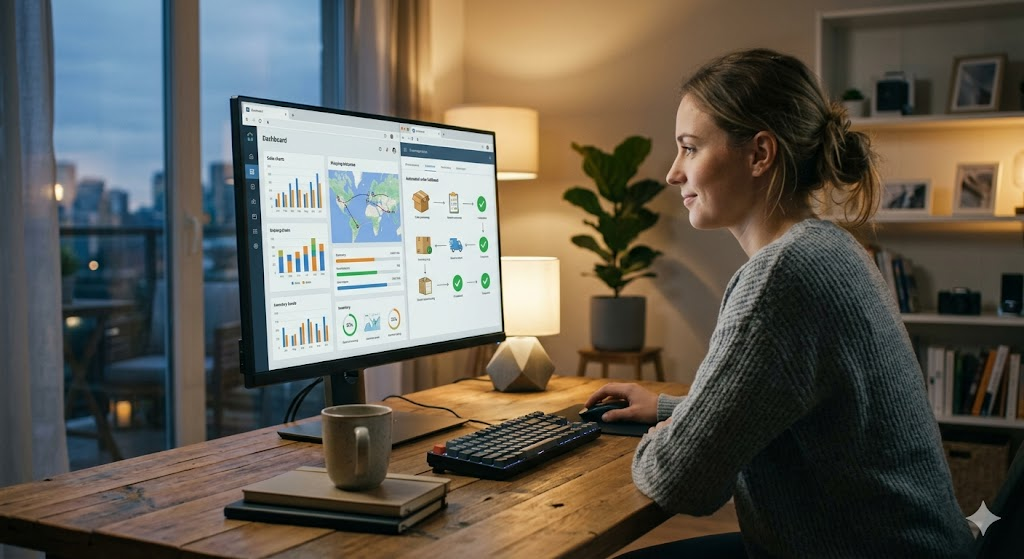
When a customer places an order on your store, automation tools can instantly send that order to your supplier, update your inventory, send a confirmation email to the buyer, and even track the shipment — all without you lifting a finger.
These tools connect your store (like Shopify or WooCommerce) to suppliers (like AliExpress or CJ Dropshipping) through integrations. Once set up properly, the system runs in the background while you focus on other things.
The beauty of this setup is consistency. Humans make mistakes when they’re tired or distracted. Automated systems follow the same process every time, which means fewer errors, faster fulfillment, and happier customers.
Comparing Popular Dropshipping Automation Options
Not all automation tools work the same way. Some are better for beginners, while others are built for stores doing thousands of orders per month. Here’s a simple comparison to help you understand your options.
| Feature | Option / Type | Description |
|---|---|---|
| Order Fulfillment | AutoDS / DSers | Automatically sends orders to suppliers without manual work |
| Inventory Syncing | Zendrop / Spocket | Updates stock levels in real-time to avoid overselling |
| Pricing Rules | AutoDS / Dropified | Adjusts prices automatically based on supplier cost changes |
| Email Notifications | Klaviyo / Mailchimp | Sends tracking updates and follow-ups to customers |
| Product Importing | DSers / CJ Dropshipping | Adds products to your store in a few clicks |
Each tool has its own pricing and features. Start with one that fits your current store size, then scale up as your business grows.
Practical Tips for Setting Up Automation the Right Way
Setting up automation isn’t complicated, but a few smart steps at the start will save you headaches later.
Start simple. Don’t try to automate everything at once. Begin with order fulfillment and inventory syncing. These two alone will save you several hours each week.
Test before you trust. After setting up any automation, place a test order yourself. Follow it through the entire process to make sure everything works correctly — from order placement to supplier confirmation.
Check your pricing rules regularly. Supplier costs can change without warning. If your automation tool isn’t set up to adjust prices properly, you might end up selling products at a loss.
Keep communication open with your supplier. Automation handles the process, but it doesn’t replace the relationship. Stay in touch with your supplier to stay informed about stock issues or delays.
Key Benefits of Using Dropshipping Automation
The advantages go beyond just saving time. Here’s what most store owners notice after switching to automation.
More time for growth. When routine tasks are handled automatically, you can spend more time on marketing, product research, and customer service — the things that actually grow your revenue.
Fewer human errors. Manual data entry leads to mistakes. Automation removes that risk entirely, which means fewer wrong orders and fewer refund requests.
Scalability becomes easier. Without automation, handling 50 orders a day is manageable. Handling 500 is not. With the right tools in place, your store can scale without burning you out.
Lower operational costs. You don’t need to hire extra staff to manage orders or update inventory. The tools do it at a fraction of the cost.
Common Mistakes to Avoid
Even with great tools, mistakes happen — usually because of poor setup or bad habits.
Ignoring tool updates. Software gets updated regularly. Ignoring these updates can cause sync errors or broken connections with your supplier.
Over-automating too soon. Some store owners automate everything before they’ve tested what works. This can create bigger problems faster. Build your automation layer by layer.
Forgetting customer service. Automation handles the backend, but your customers still need a human touch when things go wrong. Don’t automate your way out of real conversations.
Expert Tips From Experienced Store Owners
People who’ve run dropshipping stores for years share a few things consistently.
Use automation reports to spot trends. Most tools give you data on order volume, fulfillment time, and errors. Review these weekly to catch problems early.
Don’t rely on just one supplier. Automation makes it easy to work with multiple suppliers. Diversifying reduces risk if one supplier runs out of stock.
Reinvest your time savings wisely. The whole point of dropshipping automation is to free up your time. Use that time on high-value tasks, not just relaxing.
Frequently Asked Questions
Q1: Is dropshipping automation suitable for beginners?
Yes. Many tools are beginner-friendly and offer step-by-step setup guides. Start with basic features and expand as you learn.
Q2: How much does automation software usually cost?
Most tools offer free plans with limited features. Paid plans typically range from $15 to $50 per month, depending on the tool and your order volume.
Q3: Can automation replace all manual work in dropshipping?
Not entirely. It handles repetitive tasks well, but you’ll still need to manage product research, customer issues, and business strategy yourself.
Conclusion
Running a dropshipping store is hard work, but it doesn’t have to feel overwhelming. Dropshipping automation removes the repetitive, time-consuming tasks that eat into your day and your energy. When you let the right tools handle fulfillment, inventory, and notifications, you get back the time to focus on what truly matters — building a business that lasts. Start small, test your systems, and grow from there. The goal isn’t to automate everything overnight. It’s to build a smarter, more efficient operation that works for you, even when you’re not working.
SEO Keywords Used
- Dropshipping automation
- Automated order fulfillment
- Dropshipping tools
- Inventory syncing software
- Online store automation
